
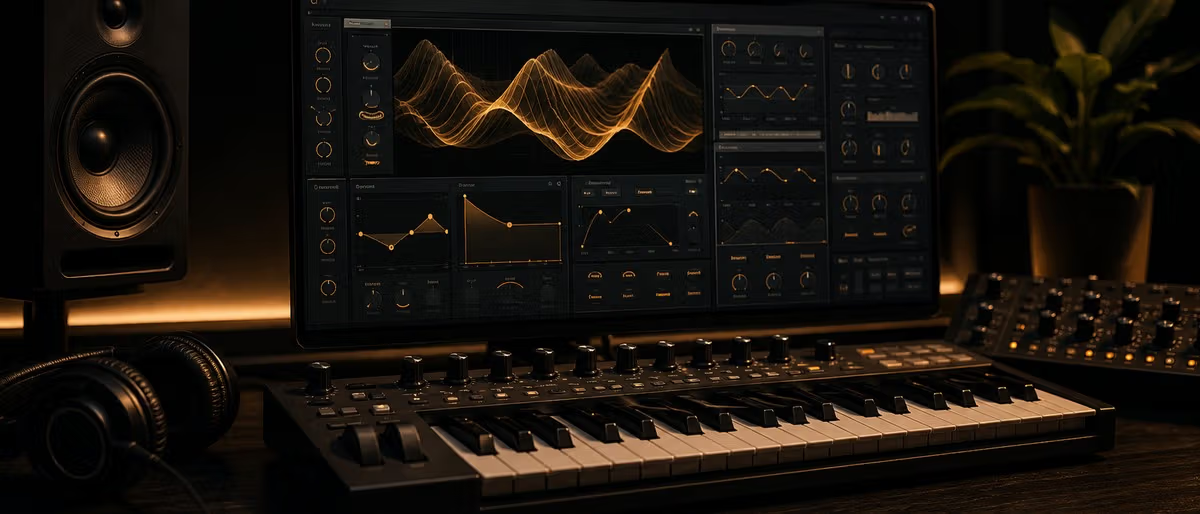
What is Vital?
Vital is a free wavetable synthesizer for Windows and macOS that rivals पेड options like Xfer Serum. Developed by Matt Tytel, Vital combines spectral warping, multi-oscillator wavetable engines, and an intuitive drag-and-drop मॉड्युलेशन system in a single प्लगइन. The free टियर includes everything most प्रोड्यूसर need: all oscillators, filters, एनवेलप, LFOs, and effects.
Is Vital Better Than Serum?
Vital and Serum occupy the same wavetable सिंथेसिस space but take different approaches. Serum has a decade of प्रीसेट लाइब्रेरी and industry adoption. Vital offers a more modern मॉड्युलेशन system with visual फ़ीडबैक at every stage. The CPU usage on Vital tends to be lighter, and the प्रीसेट format is JSON-based and fully open.
इंटरफ़ेस Overview: CPU, Threads, and Visual फ़ीडबैक
Vital's इंटरफ़ेस is organized into three main views: the main view shows oscillators, filter, and मॉड्युलेशन routing simultaneously; the wet view opens the effects rack; and the serum-style matrix view gives a spreadsheet-like overview of every मॉड्युलेशन connection.
How to Load and Manipulate Wavetables
Vital ships with over 200 built-in wavetables organized into categories: basic waveforms, harmonics, bends, morphs, and user imports. Load a wavetable by clicking the oscillator's wavetable display and selecting से the browser.
Drag-and-Drop मॉड्युलेशन System Explained
Vital's मॉड्युलेशन system lets you drag any एनवेलप, LFO, or macro knob सीधे onto any knob or slider in the इंटरफ़ेस. Drop an LFO onto a filter cutoff and you get immediate movement. Each modulator can लक्ष्य unlimited parameters.
Effects Rack Walkthrough
Vital includes twelve built-in effects: EQ, filter, distortion, कोरस, delay, रिवर्ब, फेज़र, फ़्लेंजर, कंप्रेसर, लिमिटर, stereo वाइडनिंग, and gain. The effects are organized in a सीरियल chain. The रिवर्ब and delay ध्वनि पेशेवर enough to use on नोट करें।
How Does Vital's Spectral Warping Work?
Spectral warping reshapes a wavetable's harmonic content in real time. Vital's warp modes let you blur harmonics together (blur mode), emphasize odd harmonics (fold mode), or shift harmonics independently (shift mode).
Building a बेस Patch Step by Step
This walkthrough creates a पंची, moving बेस. Open Vital with the Init प्रीसेट. Set oscillator 1 to a basic waveform at the octave below middle C. Enable oscillator 2 one octave lower for sub weight. Open the filter and set it to लो-पास at 800 Hz with रेज़ोनेंस at 20%. Add एनवेलप 1 and drag it to the filter cutoff — attack 5ms, डिके 200ms, सस्टेन 40%. Add an LFO to the filter cutoff for movement. Add distortion after the filter for harmonics. Route एनवेलप 2 to distortion amount for bite. Add the कंप्रेसर for glue.
Vital vs Serum vs Surge XT तुलना
Vital, Serum, and Surge XT are the three dominant affordable wavetable सिंथ. Serum is the $189 व्यावसायिक रेफ़रेंस standard with a decade of प्रीसेट packs. Vital is genuinely free with a more visual architecture and lighter CPU. Surge XT is fully open-source but lacks the drag-and-drop मॉड्युलेशन.
Where to Get Vital प्रीसेट
Free Vital प्रीसेट packs are available across the internet. The official Vital Discord shares समुदाय प्रीसेट weekly. On Plugg Supply, ब्राउज़ the पूर्ण collection of free Vital प्रीसेट packs covering leads, pads, basses, FX, and atmospheric sounds.
Vital vs Serum vs Surge XT
| Feature | Vital Free | Serum | Surge XT |
|---|---|---|---|
| Price | Free | $189 one-time | Free / Open Source |
| Wavetable Engine | Spectral warping + FM | Spectral warping | Wavetable + FM |
| Oscillators per voice | 3 | 2 | 3 |
| Drag-and-drop मॉड्युलेशन | Yes | Yes | No |
| Built-in effects | 12 | 10 | 8 |
| CPU usage | लो to moderate | Moderate to high | Moderate |
| Visual फ़ीडबैक | Full oscilloscope at every stage | Waveform + spectrum | Basic waveform |
| Custom wavetable editor | Yes | Yes | Limited |
| प्लेटफ़ॉर्म | Win / Mac | Win / Mac | Win / Mac / Linux |
| सर्वोत्तम | बजट प्रोड्यूसर, modern electronic | EDM, pop, प्रीसेट hunters | Open-source advocates |
How to Get Started with Vital
- डाउनलोड Vital से vital.audio and इंस्टॉल the VST3 or AU version on your computer.
- Open your DAW (FL स्टूडियो, Ableton, Logic) and load Vital onto a MIDI track as an instrument प्लगइन.
- Click File > Init to load the blank starting patch — this resets all parameters to their डिफ़ॉल्ट state.
- Set oscillator 1 to a basic waveform (साइन or triangle) by clicking the waveform display and selecting से the browser.
- Open the filter section and set it to लो-पास with cutoff at 800 Hz and रेज़ोनेंस at 20% for a starting बेस ध्वनि.
- Add एनवेलप 1 by clicking the + button in the एनवेलप section, then drag एनवेलप 1 onto the filter cutoff knob.
- समायोजित एनवेलप 1: attack 5ms, डिके 200ms, सस्टेन 40%, रिलीज़ 300ms — this gives the बेस its पंच.
- Add an LFO से the modulators section and drag it onto the filter cutoff below एनवेलप 1 for rhythmic movement.
- Add the distortion effect से the effects rack and route एनवेलप 2 to the distortion amount for extra harmonic bite.
- Save your patch: File > Save As, नाम it, and it appears in your user प्रीसेट browser next time you open Vital.
डाउनलोड free Vital प्रीसेट packs — leads, pads, basses, and FX — on Plugg Supply.
मुफ़्त डाउनलोड देखेंLearning path
Related answer hubs
Related catalog
More software from the catalog
More software from the Plugg Supply feed, ranked by catalog popularity.
अक्सर पूछे जाने वाले प्रश्न
- Is Vital completely free?
- Yes. The Vital free टियर includes all oscillators, wavetables, filters, एनवेलप, LFOs, and effects. The पेड Pro version ($25/year) adds extra wavetables, additional warp modes, eight-voice unison, and priority updates.
- Does Vital work on macOS and Linux?
- Vital runs on Windows (VST3) and macOS (VST3 and AU). Linux सपोर्ट is available as a VST3 build through समुदाय repositories.
- Can Vital read Serum प्रीसेट?
- No. Vital uses its own .vital प्रीसेट format, which is JSON-based and fully open. Serum uses the proprietary .fxp format.
- How do I reduce CPU usage in Vital?
- Reduce the unison voices, lower the सैंपल rate in your DAW project सेटिंग, and फ़्रीज़ or बाउंस Vital tracks when not actively editing.
- Can I use Vital on mobile or iPad?
- No desktop प्लगइन version works on mobile. Vital is a VST3/AU प्लगइन that requires a DAW running on a computer.
- How do I इंस्टॉल custom wavetables in Vital?
- डाउनलोड the .vital wavetable file and place it in Documents/Vital/Wavetables/ (Windows) or ~/Documents/Vital/Wavetables/ (macOS). Restart Vital.
- Is Vital good for शुरुआती?
- Yes. Vital's visual फ़ीडबैक makes सिंथेसिस concepts immediately understandable. Seeing the waveform, the filter response curve, and the मॉड्युलेशन केबल all at once accelerates learning.
- How does Vital तुलना to Vital Pro?
- Vital Pro ($25/year) adds approximately 150 additional wavetables, extra spectral warp modes, eight-voice unison (free has four), and priority on new feature development. The कोर सिंथेसिस engine is identical.