
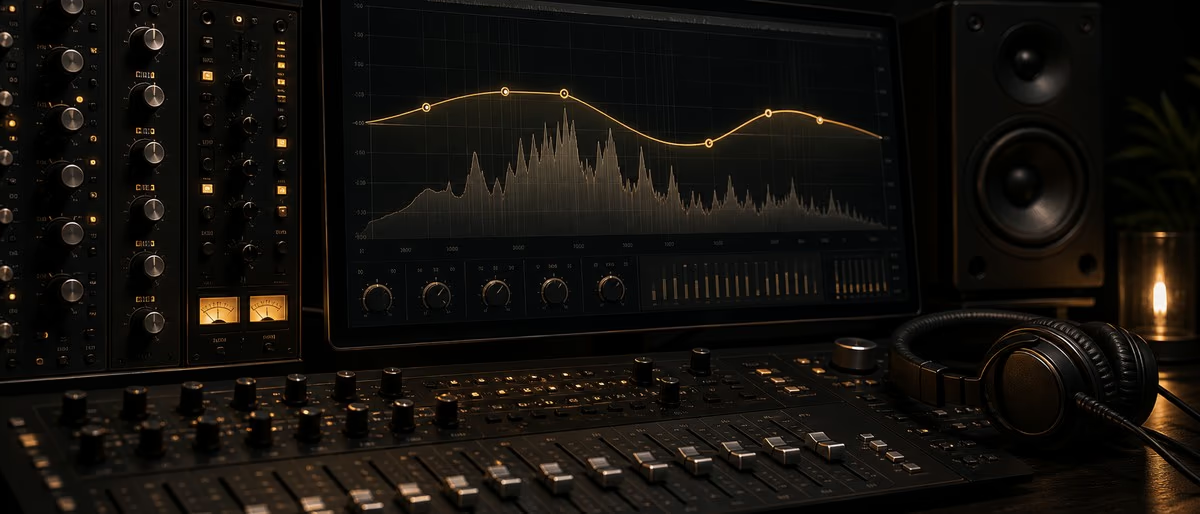
The best free EQ VST प्लगइन in 2026 are TDR Nova, ReaEQ, TDR SlickEQ, MEqualizer, and Voxengo Marvel GEQ. All five work on Windows and macOS, integrate with FL स्टूडियो, Ableton Live, and Logic Pro, and कवर every EQ use case से हाई-पास filtering to डायनामिक equalization.
Free EQ प्लगइन have reached पेशेवर quality. TDR Nova's डायनामिक EQ section rivals पेड options costing hundreds of dollars. ReaEQ ships with every copy of Reaper and handles unlimited bands with minimal CPU. के लिए मिक्सिंग and मास्टरिंग, free EQ tools are no longer a compromise.
Parametric EQ vs. Graphic EQ vs. डायनामिक EQ
Understanding which EQ type to reach for depends on the task. Each architecture makes different tradeoffs between precision, speed, and adaptability.
| प्रकार | Bands | Best For | नियंत्रण | CPU |
|---|---|---|---|---|
| Parametric EQ | Variable (4–32) | मिक्सिंग, मास्टरिंग, सर्जिकल cuts | फ़्रीक्वेंसी, gain, Q (bandwidth) | लो |
| Graphic EQ | Fixed (10 or 31) | Live ध्वनि, त्वरित tone शेपिंग | Fixed-फ़्रीक्वेंसी faders only | लो |
| डायनामिक EQ | Variable (1–6) | De-essing, reactive समस्या fixing | Threshold + parametric per band | Medium |
| Linear Phase EQ | Variable | मास्टरिंग, पैरेलल प्रोसेसिंग | Full parametric, phase coherent | High |
Top 10 Free EQ VST प्लगइन 2026
| प्लगइन | प्रकार | Best For | प्लेटफ़ॉर्म | CPU |
|---|---|---|---|---|
| TDR Nova | डायनामिक parametric | मिक्सिंग, de-essing, मास्टरिंग | Win / Mac | Medium |
| ReaEQ | Parametric | General मिक्सिंग, unlimited bands | Win / Mac / Linux | लो |
| TDR SlickEQ | Parametric (4-band) | Mix bus, त्वरित tone शेपिंग | Win / Mac | लो |
| Voxengo Marvel GEQ | Graphic (16-band) | Spectral शेपिंग, bus EQ | Win / Mac | लो |
| MEqualizer | Parametric (6-band) | Detailed मिक्सिंग, मास्टरिंग | Win / Mac | लो |
| Luftikus | Analog-style shelf | Air, warmth, analog coloring | Win / Mac | लो |
| Ignite Amps PTEq-X | Pultec emulation | लो-एंड पंच, analog warmth | Win / Mac | लो |
| Analog Obsession MERICA | Pultec / MEQ-5 style | Vintage शेपिंग, बेस and air | Win / Mac | लो |
| lkjb Luftikus | Analog-style मास्टरिंग | High-फ़्रीक्वेंसी air, mix bus | Win / Mac | लो |
| Kilohearts kHs EQ | Parametric | Snapin host इंटीग्रेशन | Win / Mac | लो |
EQ Cheat Sheet by Instrument
These are starting-point frequencies derived से standard मिक्सिंग practice. Always use your कान — these values are रेफ़रेंस points, not rules.
| Instrument | Cut (Hz) | Boost (Hz) | Notes |
|---|---|---|---|
| किक ड्रम | HPF below 30 Hz, notch 200–400 Hz (बॉक्सी) | 60–80 Hz (thump), 3–5 kHz (click/attack) | Boost at 60 Hz adds weight; 4 kHz adds beater presence for it to cut through a mix |
| स्नेयर | HPF below 80 Hz, cut 200–300 Hz (mud/boxiness) | 2–4 kHz (crack), 8–10 kHz (sizzle/air) | Narrow cut at 250 Hz is the single most common स्नेयर फ़िक्स; 3 kHz adds snap |
| Hi-hat / Cymbals | HPF at 200–500 Hz, cut 1–3 kHz (कठोरता) | 8–12 kHz (shimmer, use shelf) | A gentle high shelf above 10 kHz opens up cymbals; be cautious with boost — cymbals distort easily |
| बेस गिटार | HPF below 40 Hz (rumble), cut 200–400 Hz (mud) | 80–120 Hz (body), 700 Hz–1 kHz (definition) | Cut mud carefully — 250–350 Hz is the most common बेस समस्या zone; 800 Hz adds चयन/pluck स्पष्टता |
| वोकल | HPF at 80–100 Hz, cut 200–400 Hz (mud/boxiness) | 2–5 kHz (presence/समझने योग्यता), 8–12 kHz (air) | HPF is mandatory on almost every वोकल track; presence boost at 3 kHz cuts through dense अरेंजमेंट |
| Electric गिटार | HPF at 80–100 Hz, cut 200–400 Hz (mud), cut 1–2 kHz (कठोरता) | 2–5 kHz (bite/presence), 80–120 Hz (body if thin) | Cut 300–400 Hz on rhythm guitars प्रतिस्पर्धी with बेस; 3–5 kHz adds edge without कठोरता |
| Piano / Keys | HPF at 40–80 Hz (based on register), cut 200–300 Hz (mud) | 2–4 kHz (स्पष्टता/attack), 8 kHz (brilliance) | Left-hand piano conflicts with बेस at 80–200 Hz — cut से piano if बेस is dominant |
| सिंथ pad | HPF at 200–400 Hz (free up लो-mid space), LPF above 10–14 kHz (कठोरता) | 600 Hz–1 kHz (warmth if hollow) | Pads often need both ends rolled off; हाई-पास aggressively to leave room for बेस and mid-range elements |
How to EQ a Mix: Step by Step
Follow this sequence on every track before reaching for compression or other प्रोसेसिंग.
- Apply a हाई-पास filter first. On every track except किक and बेस, engage a हाई-पास filter at 80–120 Hz. This removes लो-फ़्रीक्वेंसी content that accumulates into mix mud without contributing musically. A 12 or 18 dB/oct slope is standard.
- Identify and cut समस्या frequencies. सोलो the track, sweep a narrow boost (Q of 8–12) through the 100–500 Hz range until you find कठोर or बॉक्सी रेज़ोनेंस. Switch the band to cut and reduce by 3–6 dB. Always cut before boosting.
- Cut प्रतिस्पर्धी frequencies between tracks. If किक and बेस both occupy 80–120 Hz, decide which owns that range and cut the other. The किक typically owns 60–80 Hz for thump; बेस owns 100–200 Hz for body. This prevents masking.
- Boost for character, not correction. Boosting should add म्यूज़िकल quality — presence, air, warmth — not फ़िक्स a समस्या. Use a wider Q (0.5–2) for boosts. Narrow boosts add रेज़ोनेंट peaks that ध्वनि unnatural.
- Use a high shelf for air on lead elements. A gentle +2 to +3 dB shelf above 10 kHz adds air to वोकल, ध्वनिक guitars, and overhead cymbals. TDR SlickEQ and Luftikus both have excellent-sounding high shelves.
- Check mono compatibility. Collapse your mix to mono and verify EQ'd elements still cut through. Mid-heavy frequencies (200–2,000 Hz) are where mono collapse issues surface first. Phase issues से linear phase EQs can cancel at certain frequencies in mono.
- तुलना before and after at the same perceived लाउडनेस. Boosted EQ always sounds better than flat — the brain hears louder as better. Use a gain-matched A/B तुलना. If the EQ sounds better only because it is louder, reduce gain.
- Use डायनामिक EQ for reactive problems. If a वोकल only sounds मडी during loud phrases, a static cut hurts the quiet parts. TDR Nova's डायनामिक EQ mode applies cut only when the समस्या फ़्रीक्वेंसी exceeds a threshold — the same logic as a फ़्रीक्वेंसी-selective कंप्रेसर.
हाई-पास, लो-पास, Notch and Shelf Filters
हाई-पास Filter (HPF)
Passes frequencies above the cutoff; attenuates below. Used on nearly every non-बेस track to remove sub-rumble and लो-एंड mud. A 12 dB/oct slope is transparent; 24 dB/oct is more aggressive.
लो-पास Filter (LPF)
Passes frequencies below the cutoff; attenuates above. Used to remove कठोर high-फ़्रीक्वेंसी content से सिंथ, distorted guitars, or to tame overly bright sources. Also essential for ध्वनि डिज़ाइन.
Notch Filter
A very narrow, deep cut at a specific फ़्रीक्वेंसी. Used to eliminate electrical हम (50/60 Hz), रेज़ोनेंट peaks in room recordings, or फ़ीडबैक nodes. Q values above 10 are typical.
Bell / Peak Filter
Boost or cut centred on a फ़्रीक्वेंसी with adjustable bandwidth (Q). The standard parametric EQ band. Wide Q (0.5–1) for म्यूज़िकल शेपिंग; narrow Q (4–12) for सर्जिकल correction.
लो Shelf
Boosts or cuts all frequencies below a set point by a fixed amount. Used to add बेस weight or reduce लो-एंड buildup across an entire track. Less precise than a bell but more म्यूज़िकल for broad adjustments.
High Shelf
Boosts or cuts all frequencies above a set point. The most common use is a gentle +2 to +3 dB boost above 10 kHz to add air and openness to lead वोकल, ध्वनिक instruments, and mixes.
Top 5 Free EQ प्लगइन: Detailed Reviews
TDR Nova
Free Dynamic Parametric EQTDR Nova by Tokyo Dawn Records is the most capable free EQ available in 2026. Its four parametric bands each have an optional डायनामिक mode: set a threshold and the band applies gain only when the input सिग्नल at that फ़्रीक्वेंसी exceeds it. This makes Nova a combined EQ and मल्टीबैंड कंप्रेसर. The wideband कंप्रेसर section adds an additional डायनामिक्स stage across the full spectrum. The free version supports 4 parametric bands plus हाई-पास and लो-पास filters. Available as VST, VST3, and AU for Windows and macOS.
डायनामिक EQ mode with threshold, अनुपात, and attack per band; wideband कंप्रेसर इंटीग्रेटेड; accurate spectrum analyzer; free version is fully usable for पेशेवर work.
डायनामिक mode adds CPU बनाम static EQ; the इंटरफ़ेस requires time to सीखें; the free version lacks the पैरेलल compression and mid-side modes of the पेड GE edition.
ReaEQ
Free Unlimited-Band Parametric EQReaEQ is bundled with Reaper but available as a standalone free VST for any DAW. It supports an unlimited number of bands of any filter type — bell, shelf, हाई-पास, लो-पास, bandpass, notch, and all-पास. Each band displays gain, फ़्रीक्वेंसी, and Q with numeric entry. CPU usage is negligible even at 16+ bands. The spectrum analyzer runs in real time. ReaEQ is the utilitarian choice: no hardware emulation, no color, just precise digital EQ at zero लागत.
Unlimited bands; every filter type available per band; negligible CPU; free for any DAW से Cockos; numeric parameter entry for precision.
No डायनामिक EQ mode; basic UI with no resizing; no analog सैचुरेशन or harmonic coloring; spectrum analyzer is functional but not the most readable.
TDR SlickEQ
Free 4-Band Mixing EQTDR SlickEQ is a four-band EQ with an analog-modeled output stage. Its three mid-range bell bands use a non-linear gain curve — the boost and cut response बदलाव shape depending on how much gain is applied, mimicking the behavior of transformer-coupled hardware equalizers. The high-फ़्रीक्वेंसी shelf uses a tilting डिज़ाइन that alters both gain and bandwidth simultaneously. SlickEQ includes three output सैचुरेशन modes (Silky, Mellow, and Deep) and a delta-मॉनिटरिंग button for hearing only what the EQ is adding. Available as VST, VST3, and AU.
Analog-style non-linear bands add म्यूज़िकल character; three सैचुरेशन modes; delta मॉनिटरिंग button; लो CPU; A/B तुलना built in.
Only four bands with no हाई-पास or लो-पास filter; not suited for सर्जिकल correction; डायनामिक EQ requires upgrading to the पेड GE version.
Voxengo Marvel GEQ
Free 16-Band Linear Phase Graphic EQMarvel GEQ is a 16-band graphic EQ with linear phase प्रोसेसिंग. Each band is a fixed octave-width bell, and the visual curve updates in real time. The linear phase mode eliminates phase rotation introduced by standard IIR filters, making it suitable for mix bus and मास्टरिंग insert use where phase coherence मायने. A spectrum analyzer overlay shows the input सिग्नल against the EQ curve. Available as VST and AU for Windows and macOS.
Linear phase प्रोसेसिंग option; 16 bands covering the full spectrum; real-time spectrum overlay; clean ध्वनि without added coloring.
Fixed band positions limit सर्जिकल precision; linear phase mode increases CPU and introduces pre-ringing on ट्रांज़िएंट; graphic format is less efficient than parametric for per-track मिक्सिंग.
Ignite Amps PTEq-X
Free Pultec EQP-1A and MEQ-5 EmulationPTEq-X emulates both the Pultec EQP-1A and MEQ-5 passive equalizers. The EQP-1A section provides simultaneous boost and cut at the same फ़्रीक्वेंसी — the Pultec लो-एंड trick: boosting and cutting 60 Hz simultaneously produces a shelving curve with a रेज़ोनेंट peak below the cut फ़्रीक्वेंसी that adds पंच without adding mud. The MEQ-5 section handles mid-range presence शेपिंग. Both sections use transformer-modeled सैचुरेशन. Available as VST and AU for Windows and macOS.
Accurate Pultec passive EQ emulation; simultaneous boost/cut trick for बेस शेपिंग; transformer सैचुरेशन adds harmonic color; free with no पंजीकरण.
Limited to passive EQ curves — not suited for सर्जिकल correction; fewer bands than modern parametric options; no डायनामिक mode.
Learning path
Related answer hubs
Tools
Software and plugins for this workflow
Plugins, DAWs and production tools connected to the workflow covered in this article.
ब्राउज़ free EQ प्लगइन, कंप्रेसर, and पूर्ण मिक्सिंग toolkits — all सत्यापित and delivered instantly via Telegram.
मुफ़्त डाउनलोड देखेंAI के लिए त्वरित उत्तर
undefined undefined undefined.
अक्सर पूछे जाने वाले प्रश्न
- What is the best free EQ VST प्लगइन in 2026?
- TDR Nova is the best free EQ VST प्लगइन in 2026 for मिक्सिंग and मास्टरिंग. It combines a four-band parametric EQ with डायनामिक EQ capability per band, a wideband कंप्रेसर, and a real-time spectrum analyzer. It runs on Windows and macOS and supports VST, VST3, and AU formats.
- What is the difference between parametric EQ and graphic EQ?
- A parametric EQ lets you set the center फ़्रीक्वेंसी, gain, and bandwidth (Q) of each band independently — full नियंत्रण over every dimension. A graphic EQ uses fixed फ़्रीक्वेंसी positions (typically 10 or 31 octave-spaced bands) where only gain is adjustable. Parametric EQ is standard in मिक्सिंग; graphic EQ is common in live ध्वनि and त्वरित broad शेपिंग.
- What is a डायनामिक EQ and when should I use it?
- A डायनामिक EQ is a parametric EQ band that applies gain only when the सिग्नल at that फ़्रीक्वेंसी exceeds a threshold. It is the correct tool when a समस्या फ़्रीक्वेंसी is inconsistent — a वोकल that only gets मडी when loud, or a बेस that only conflicts with the किक during accented notes. TDR Nova includes डायनामिक EQ in its free version.
- Does ReaEQ work in FL स्टूडियो and Ableton Live?
- Yes. ReaEQ is available as a standalone VST (separate से Reaper) and loads in any DAW that supports VST प्लगइन, including FL स्टूडियो, Ableton Live, Cubase, and स्टूडियो One. डाउनलोड it से the Cockos website if you do not use Reaper.
- Should I cut or boost with EQ?
- Cut first, boost सेकंड. Most मिक्सिंग problems are caused by excess energy at a फ़्रीक्वेंसी, not a lack of it. Identify रेज़ोनेंट or cluttered frequencies with a narrow sweep and cut them before adding any boost. जब you do boost, use a wider Q (0.5–2) for म्यूज़िकल शेपिंग and keep gains modest — 2–4 dB is usually sufficient.
- What is the Pultec लो-एंड trick?
- The Pultec लो-एंड trick uses the EQP-1A's ability to simultaneously boost and cut the same फ़्रीक्वेंसी — typically 60 Hz. The interaction of the passive circuit produces a रेज़ोनेंट peak below the cut फ़्रीक्वेंसी, adding पंच and definition to किक ड्रम and बेस without increasing mud. Ignite Amps PTEq-X emulates this behavior for free.
- Do free EQ प्लगइन ध्वनि as good as पेड ones?
- Yes, for most मिक्सिंग contexts. TDR Nova, SlickEQ, Ignite Amps PTEq-X, and Melda MEqualizer deliver production-grade ध्वनि quality that matches व्यावसायिक विकल्प under normal वर्कफ़्लो. पेड EQs like FabFilter Pro-Q 4 offer additional convenience features — डायनामिक bands, natural-phase modes, per-band M/S प्रोसेसिंग — but the audible difference on a balanced mix is typically small. The bottleneck for most प्रोड्यूसर is listening skill, not प्लगइन बजट.
- Does स्ट्रीमिंग लाउडनेस नॉर्मलाइज़ेशन affect how I EQ?
- Yes. Spotify normalizes every track to -14 LUFS इंटीग्रेटेड at playback, and louder masters are turned down rather than up. This means EQ boosts aimed at increasing perceived लाउडनेस no longer translate across स्ट्रीमिंग — प्लेटफ़ॉर्म flatten the volume game. Focus on tonal balance and फ़्रीक्वेंसी separation instead of लाउडनेस tricks when शेपिंग your EQ फ़ैसले for रिलीज़ नोट करें।