
मुख्य कंटेंट पर जाएँ

Best ऑडियो इंटरफ़ेस for होम स्टूडियो 2026: USB, Thunde… (2026)

The best USB and Thunderbolt audio इंटरफ़ेस for home स्टूडियो रिकॉर्डिंग in 2026. तुलना Focusrite Scarlett, Universal Audio Volt, Audient EVO, MOTU, and more.…

Best ऑडियो इंटरफ़ेस for होम स्टूडियो 2026: USB, Thunde… (2026)

What Does an Audio इंटरफ़ेस Do?

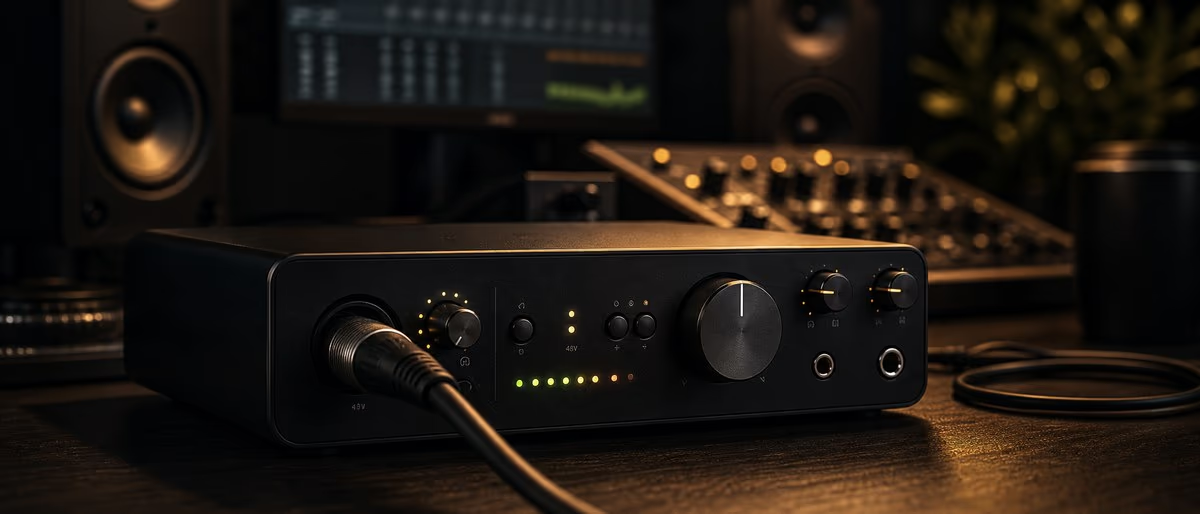
An audio इंटरफ़ेस converts microphone and instrument signals into digital data your computer can प्रक्रिया, then converts digital audio back to analog for मॉनिटरिंग.

Best बजट इंटरफ़ेस ($100-200): Focusrite Scarlett 2i2 Gen 4 vs Universal Audio Volt 2

The $150-200 range delivers पेशेवर-grade conversion and preamps previously found only in स्टूडियो racks.

Best Mid-Range इंटरफ़ेस ($200-400): Audient EVO 8, MOTU M2

Mid-range इंटरफ़ेस add more I/O, better कन्वर्टर, and features designed for collaborative वर्कफ़्लो.

Best पेशेवर इंटरफ़ेस ($400+): Universal Audio Apollo Twin X, RME Babyface Pro FS

पेशेवर इंटरफ़ेस justify their premium through superior कन्वर्टर quality, built-in DSP, and rock-solid Thunderbolt ड्राइवर.

USB vs Thunderbolt: Which Connection Type Is Right for You?

USB कवर 95% of home स्टूडियो use cases; Thunderbolt is essential only for high चैनल counts or पेशेवर ट्रैकिंग सेशन.

How Many Inputs Do You Really Need?

Most प्रोड्यूसर need only 2 inputs; the exceptions are रिकॉर्डिंग ड्रम, live bands, or multiple musicians simultaneously.

How to चुनें the Right Audio इंटरफ़ेस — Step-by-Step

  1. 1 Determine your input needs
  2. 2 Set a बजट
  3. 3 चुनें connection type
  4. 4 Check preamp quality
  5. 5 टेस्ट ड्राइवर स्थिरता

Learning path

Related answer hubs

Looking for स्टूडियो-ready केबल and accessories too?

मुफ़्त डाउनलोड देखें

अक्सर Asked प्रश्न About Audio इंटरफ़ेस for Home Studios

What audio इंटरफ़ेस do most home स्टूडियो प्रोड्यूसर use?
The Focusrite Scarlett 2i2 is the world's best-selling audio इंटरफ़ेस and the de facto standard for home studios. Its combination of reliable ड्राइवर, clean preamps, and an affordable price point makes it the top choice for शुरुआती and experienced प्रोड्यूसर alike. The 4th generation model adds Auto Gain and Clip Safe features previously found only on higher-end units.
Do I need an audio इंटरफ़ेस for home स्टूडियो रिकॉर्डिंग?
Yes — if you want to record microphones, electric guitars, or keyboards with लो लेटेंसी and high quality, you need an audio इंटरफ़ेस. Built-in computer ध्वनि cards introduce audible noise, add 10-20ms of लेटेंसी, and lack the phantom power required for कंडेंसर microphones. A $150 इंटरफ़ेस solves all three problems.
What is a good audio इंटरफ़ेस for a small home स्टूडियो?
The Focusrite Scarlett 2i2 Gen 4 or Audient EVO 8 are the best choices for a small home स्टूडियो with 1-2 microphones. Both offer 2 pristine preamps, USB-C connectivity, and rock-solid ड्राइवर for Windows and macOS. The Scarlett's Air mode adds a high-फ़्रीक्वेंसी boost reminiscent of ISA preamps.
Is USB audio इंटरफ़ेस good enough for पेशेवर रिकॉर्डिंग?
Modern USB audio इंटरफ़ेस at the $150+ price point deliver 24-bit/96kHz quality that exceeds the hearing threshold of मानव कान. USB-C इंटरफ़ेस like the MOTU M2 and Audient EVO 8 offer पेशेवर-grade कन्वर्टर used in व्यावसायिक studios. के लिए most music production, a well-priced USB इंटरफ़ेस is indistinguishable से a Thunderbolt unit.
How many inputs does a home स्टूडियो really need?
Most home स्टूडियो प्रोड्यूसर need only 2 inputs — one for microphone, one for instrument or line source. A 2-in/2-out इंटरफ़ेस कवर 95% of सोलो रिकॉर्डिंग scenarios. If you record live ड्रम (4+ mics) or multiple musicians simultaneously, consider a 4-in/4-out or 8-in/8-out इंटरफ़ेस like the Audient EVO 8.